The Wildfire Remote

The Wildfire Remote Replacement
Lost your Wildfire remote, maybe your dog ate it? Not to worry… We will ship out a new one to you to get you back in the action! FREE SHIPPING on ALL orders!
Current price

$30.00

Performance Features

Replacement for The Wildfire TV Box

The ideal choice when your original remote is lost or damaged.

Easy to Use

When you get it, please install 2 BRAND NEW AAA ALKALINE batteries first and make sure to point the remote control toward the remote control sensor on your Wildfire,

Portable and Comfortable

Small, compact and lightweight, comfortable and easy to grip. The transmitting distance is up to 10m


Technical architecture

The Wildfire Remote Frequency: 433 MHz, black in color with a Transmission Distance of 10M. Works off of infrared wireless communication.

Features:

– This is an advanced remote control replacement for your Wildfire Smart TV Box – No programming required – just install the batteries – It is the ideal choice when your original remote is lost or damaged – Feels comfortable and easy to use. – Stylish and elegant design.

Type: TV Remote Control Battery: 2 x AAA batteries (not included)
Component Specification
Frequency 433 MHz
Color Black
Transmission Distance 10M or 33IN
Wireless Communication Infrared
Battery 2 x AAA batteries (not included)

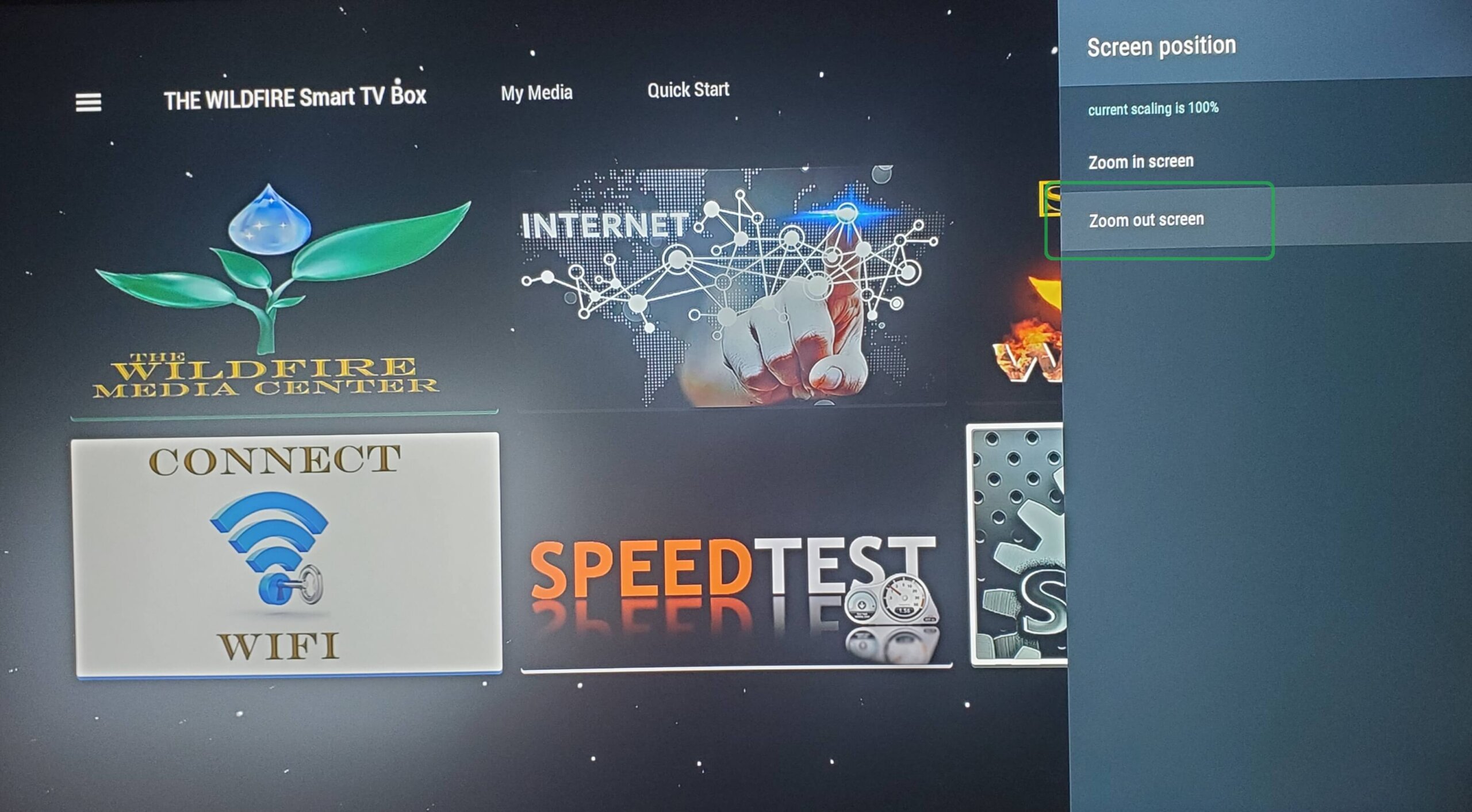
SCREEN POSITION

Now click “Zoom Out” a few times until you see the border appear around your TV screen. Then click “Zoom In” to line up the edge of the border to fit the size of your TV screen and your screen position will be perfectly aligned.

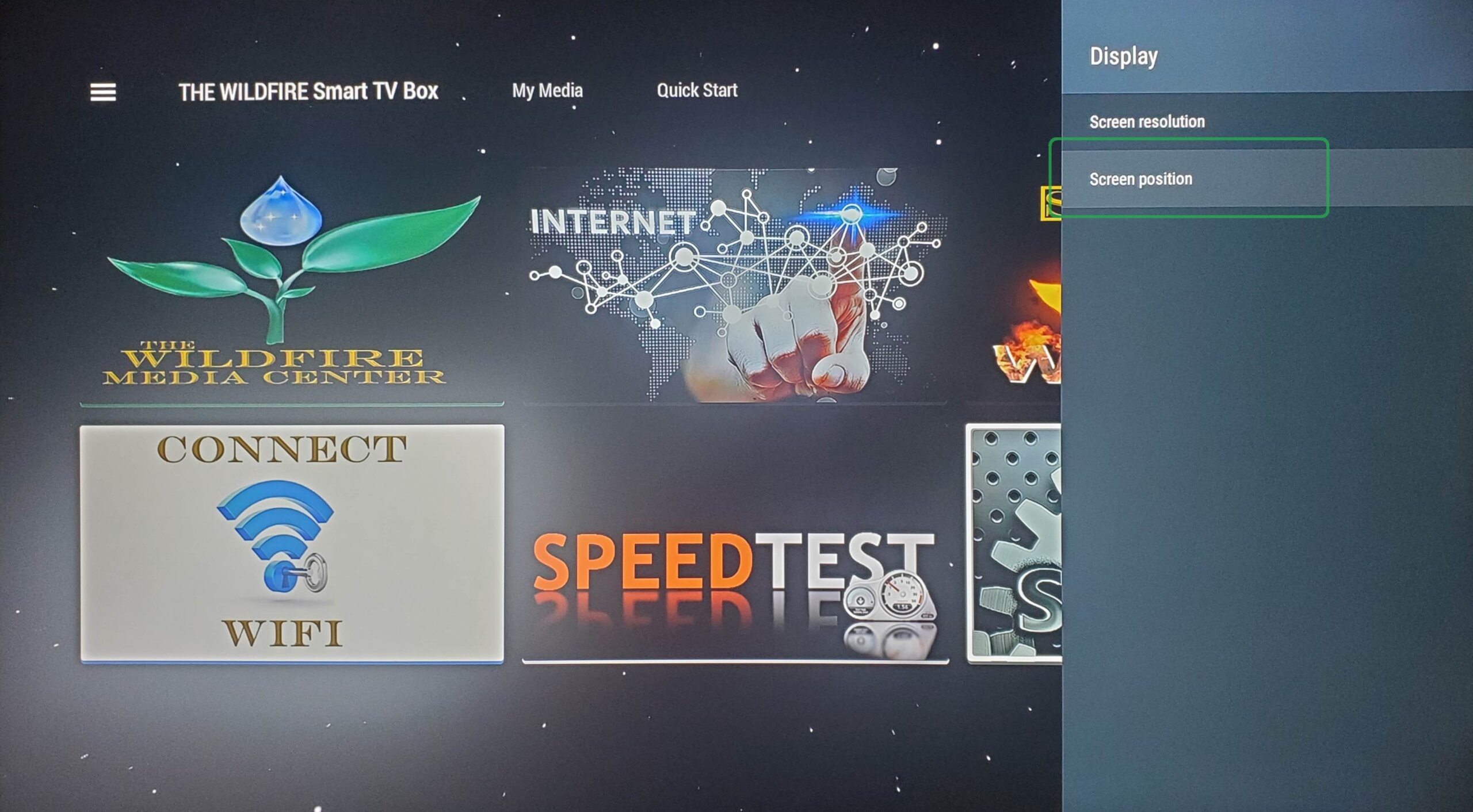
DISPLAY

From Display click on “Position”

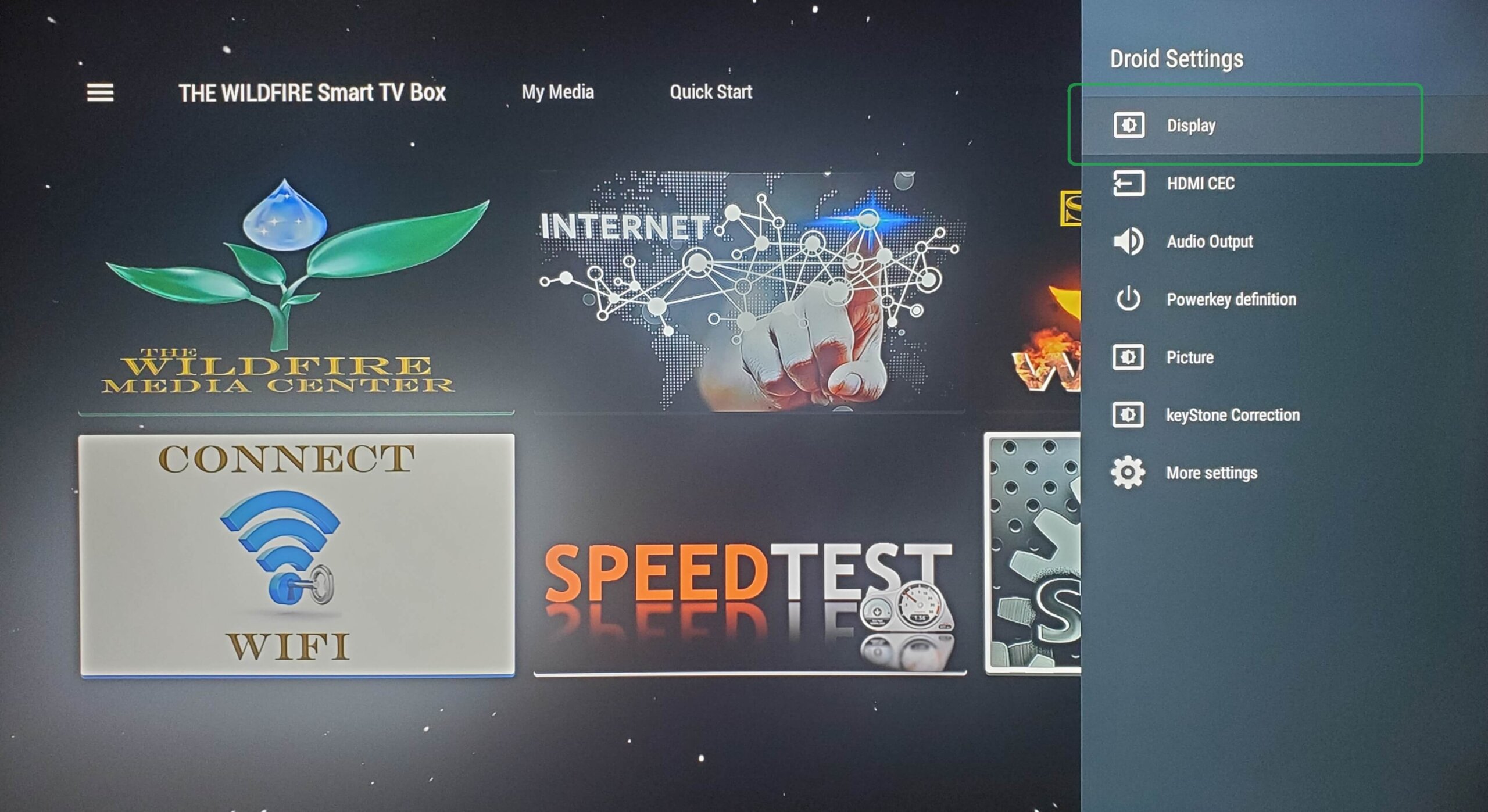
DROID SETTINGS

From Droid Settings click on “Display”.

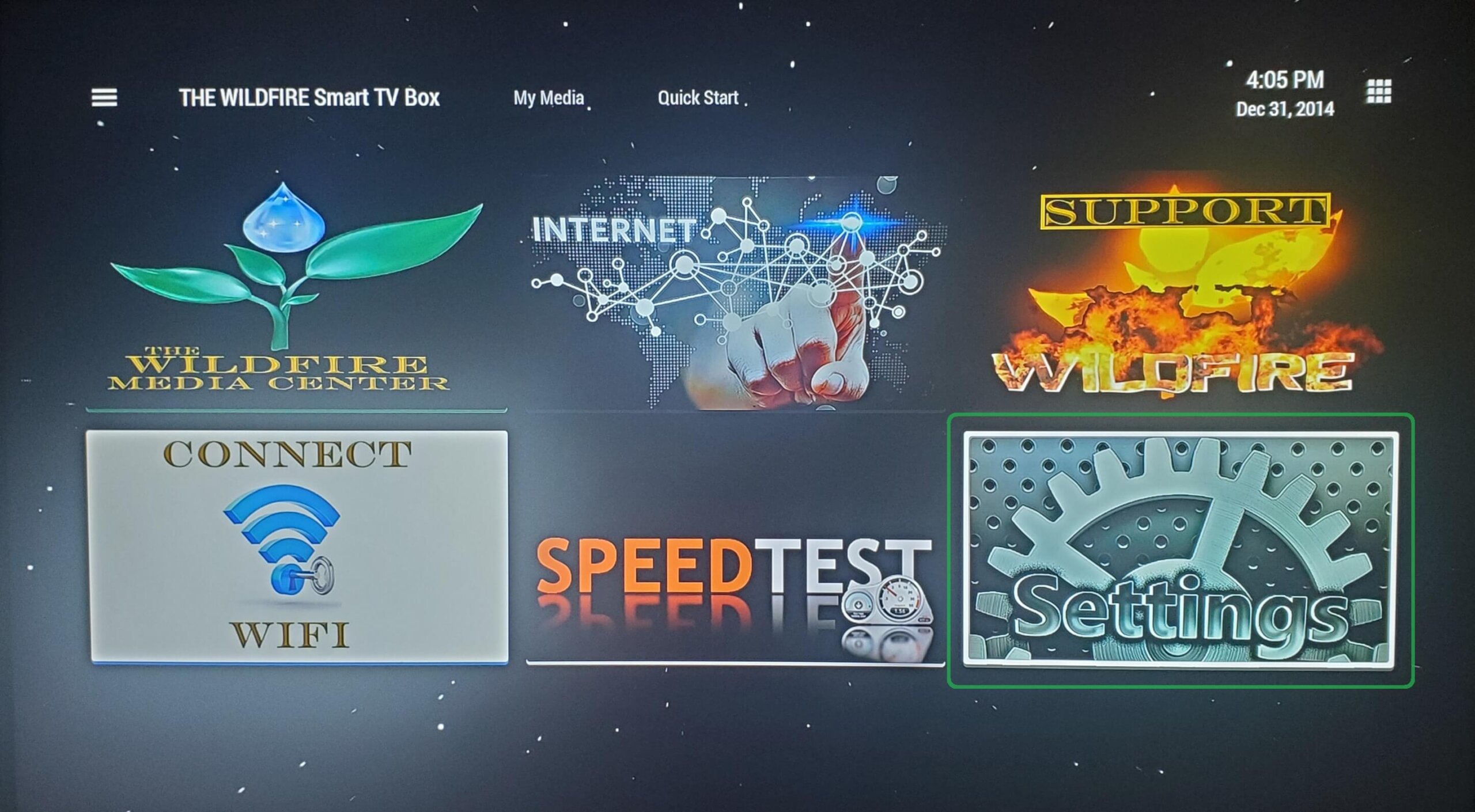
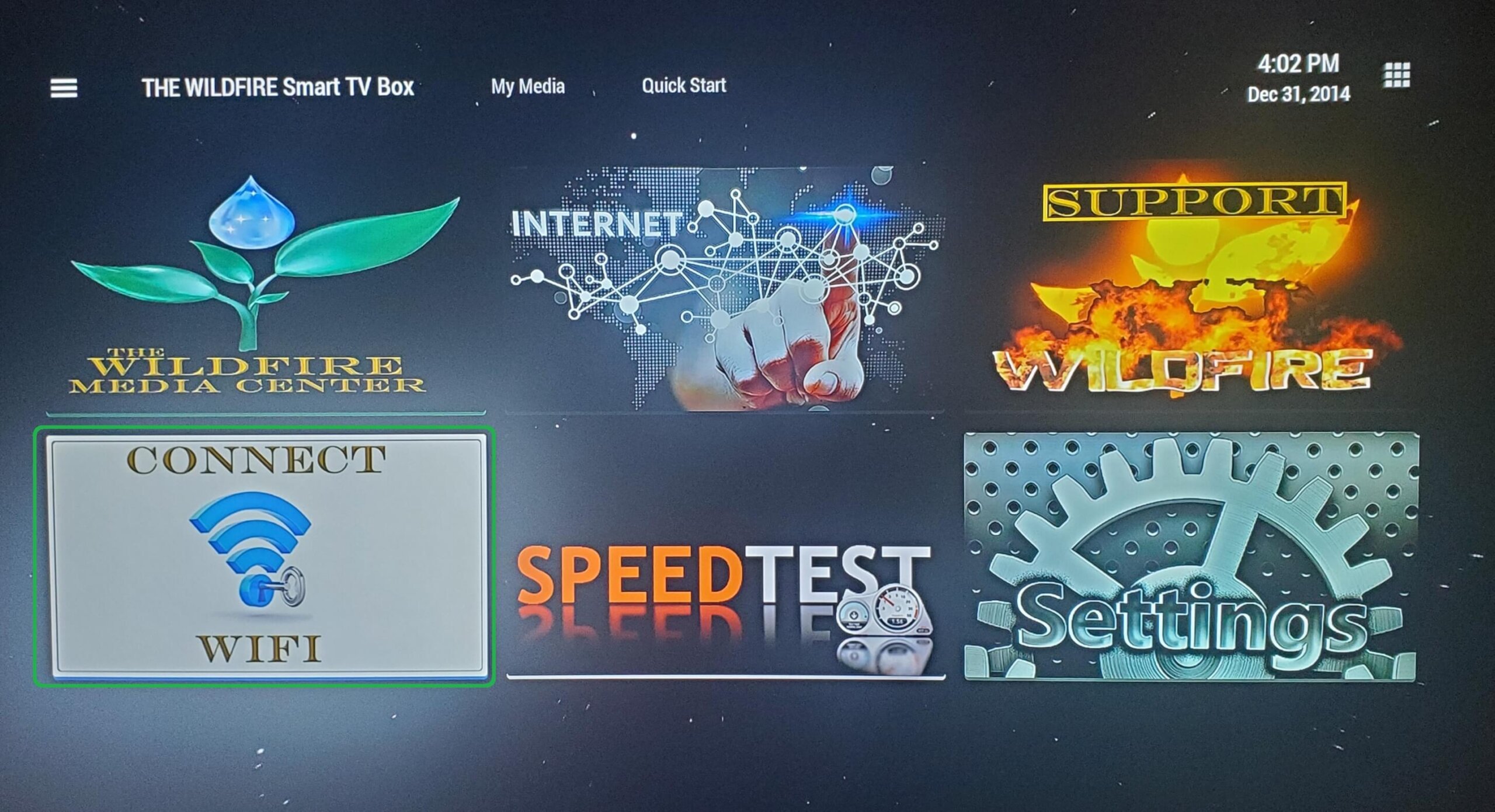
CLICK CONNECT WIFI

From the home screen, open Connect WIFI tile to begin WIFI set up.

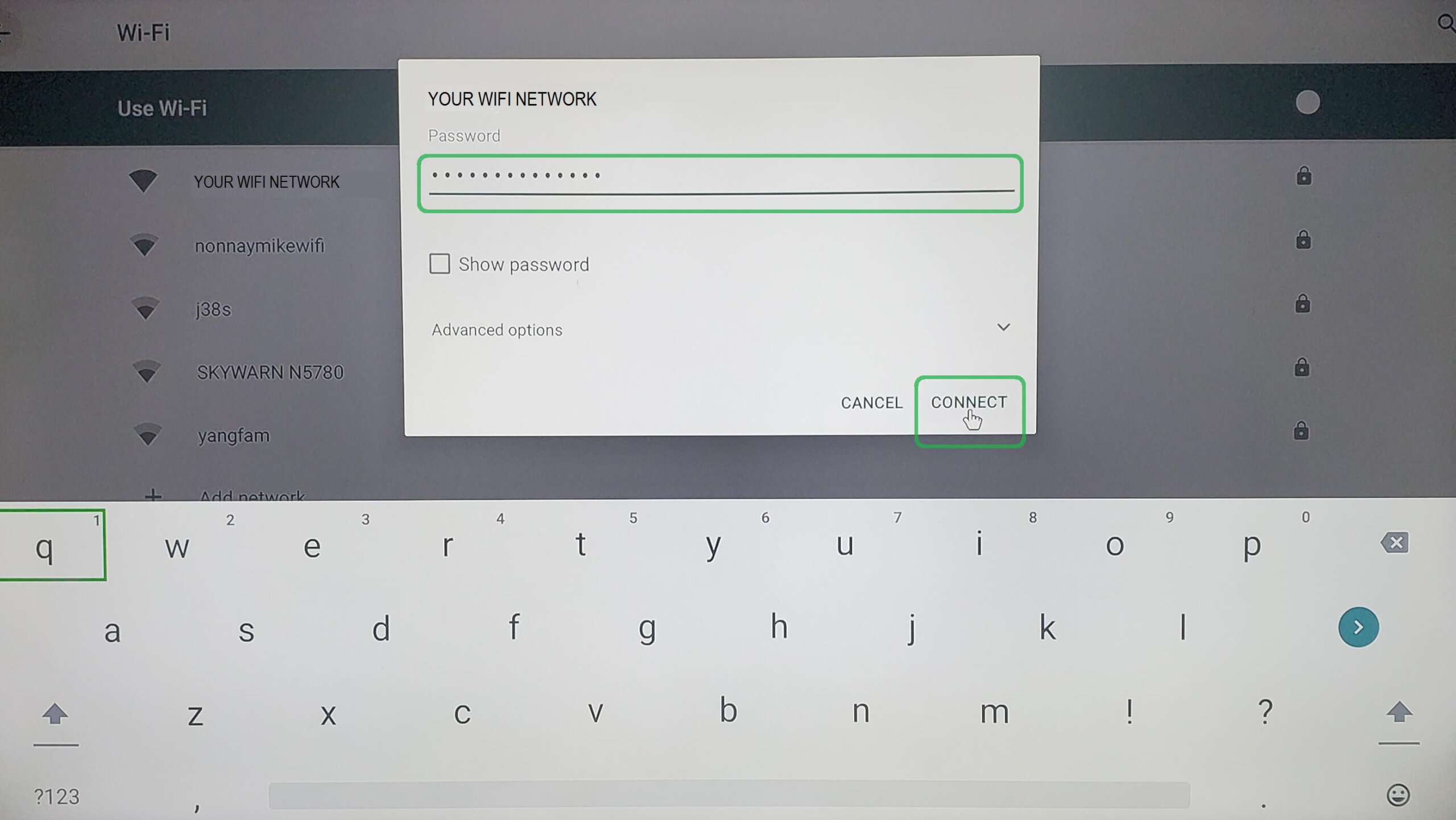
ENTER WIFI PASSWORD

After entering your WIFI password click on “Connect” and once you see “CONNECTED” next to your network you are done.

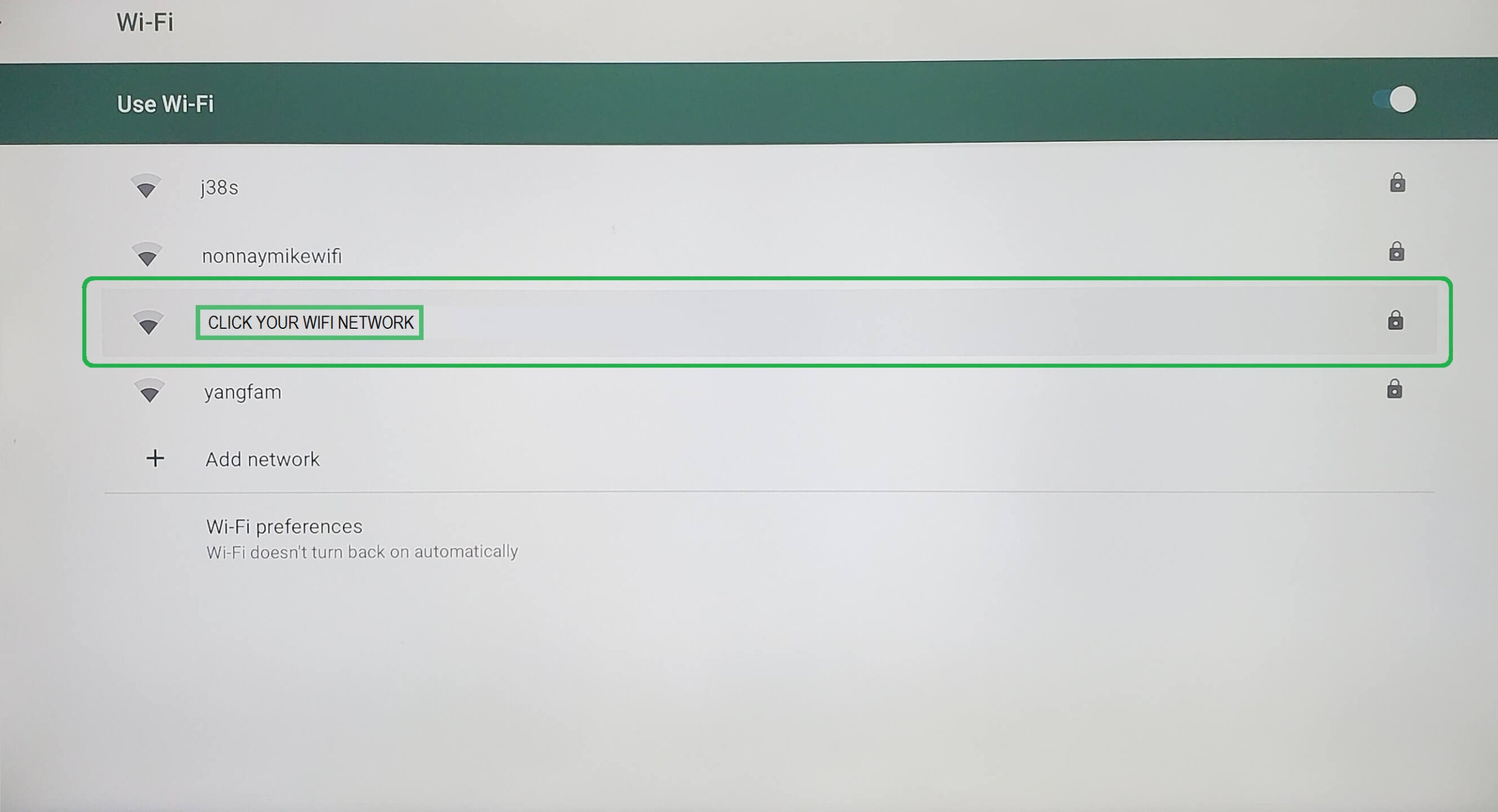
GO TO NETWORK

Select your WIFI Network from the list of available networks.


CLICK CONNECT WIFI

From the home screen, open Connect WIFI tile to begin WIFI set up.