+1- (888) 649-2029
☎ (888) 649-2029
Review your selection of the Premium Wildfire Entertainment System before finalizing your order.
Return to shop
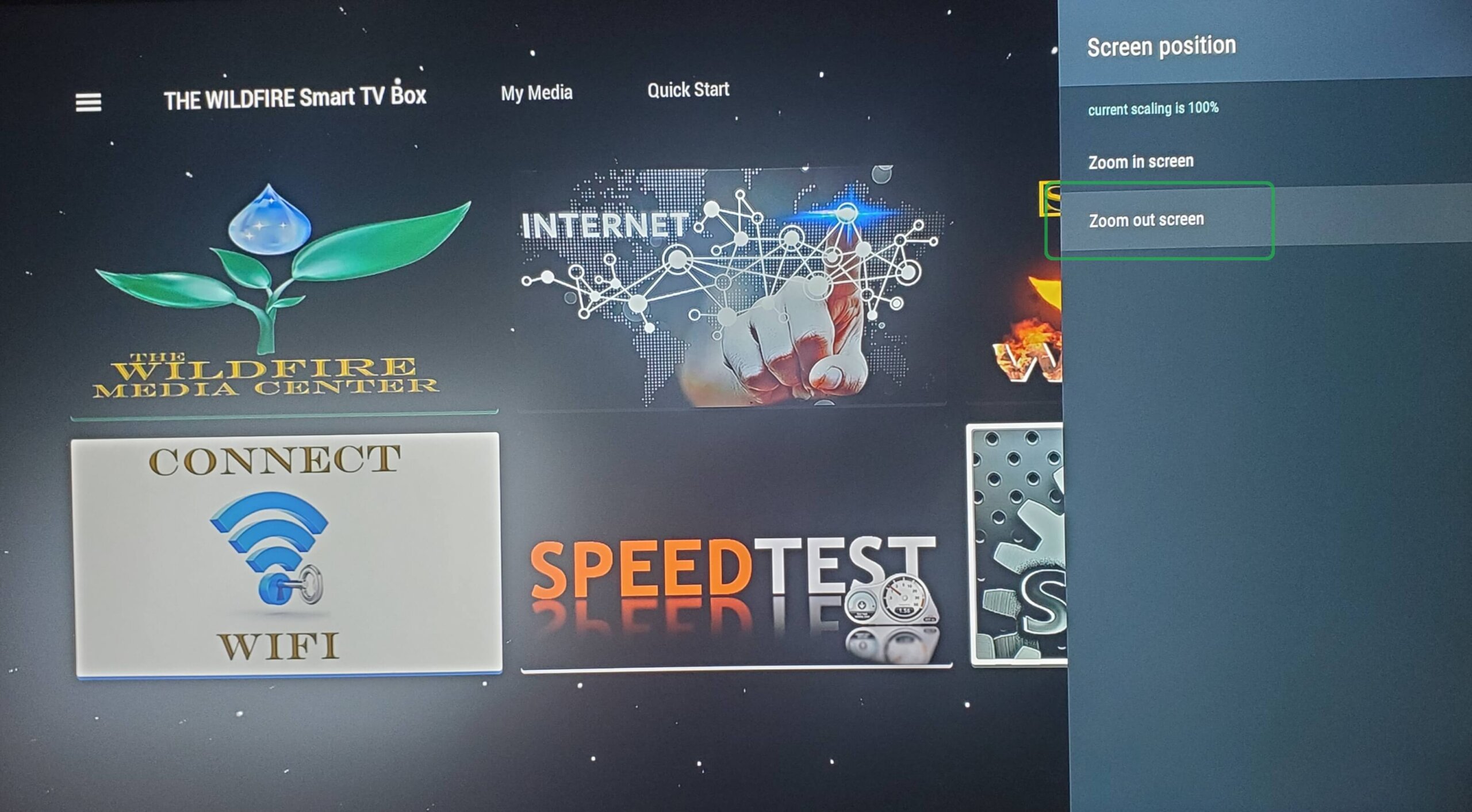
Now click “Zoom Out” a few times until you see the border appear around your TV screen. Then click “Zoom In” to line up the edge of the border to fit the size of your TV screen and your screen position will be perfectly aligned.
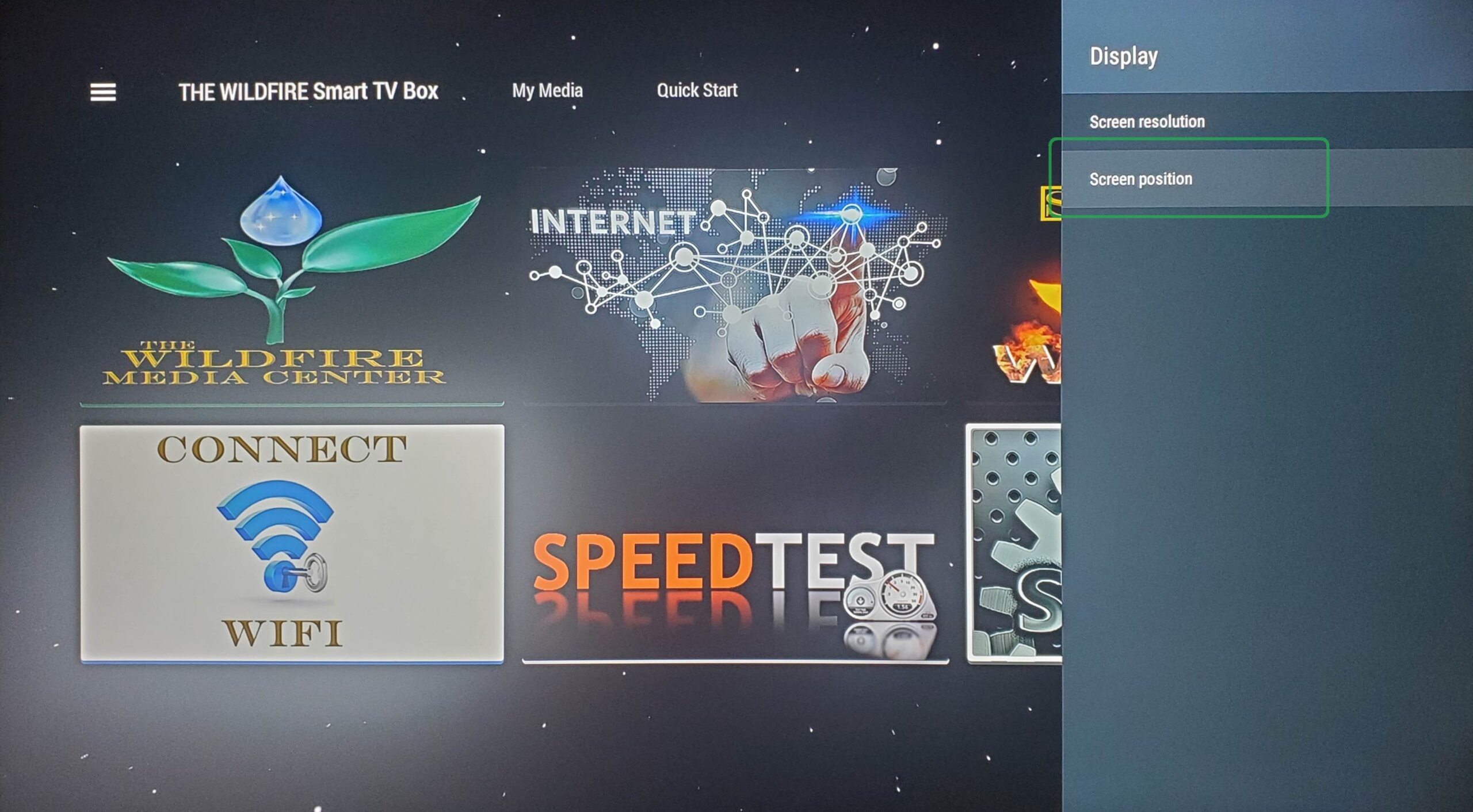
From Display click on “Position”
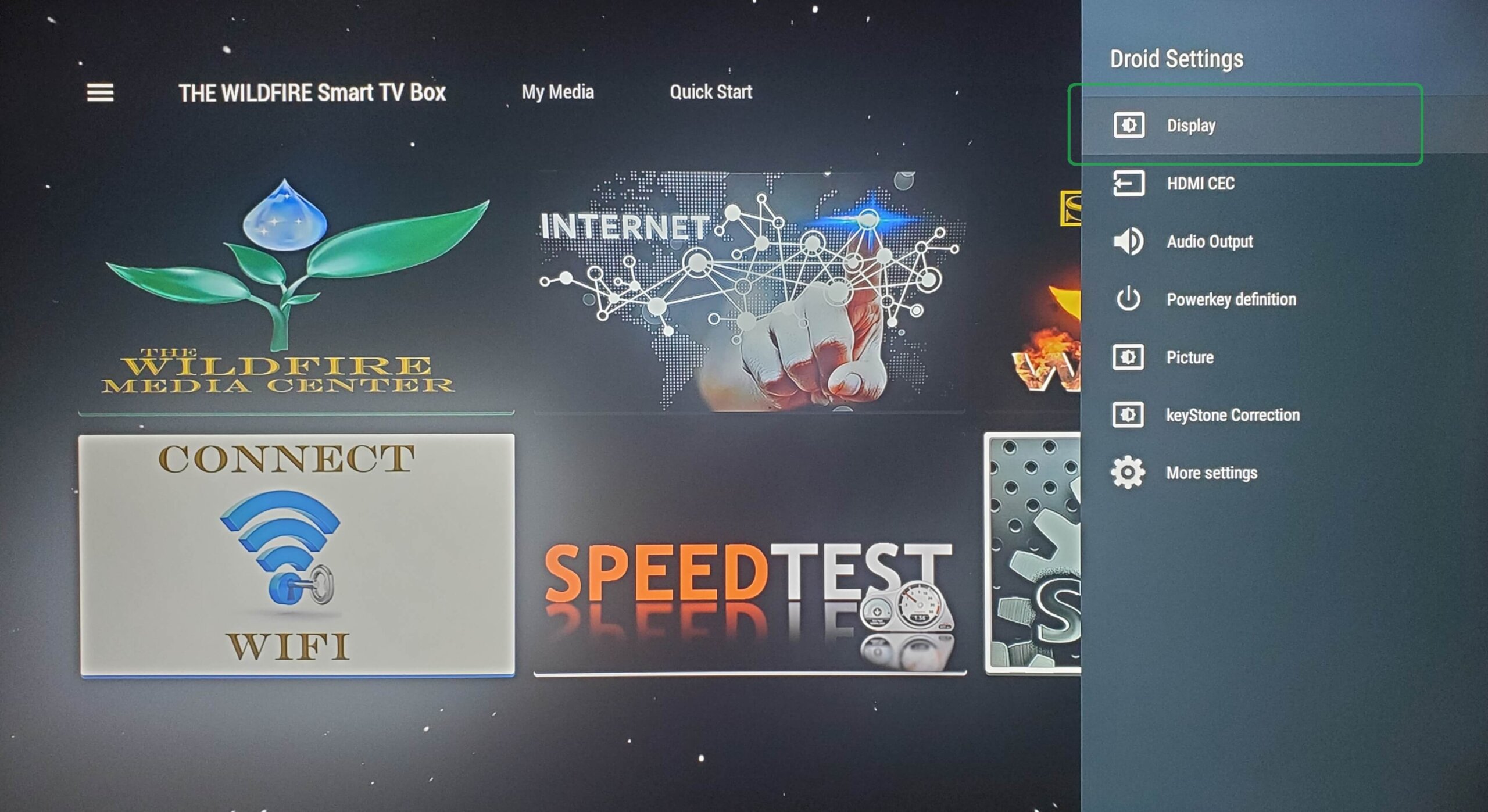
From Droid Settings click on “Display”.
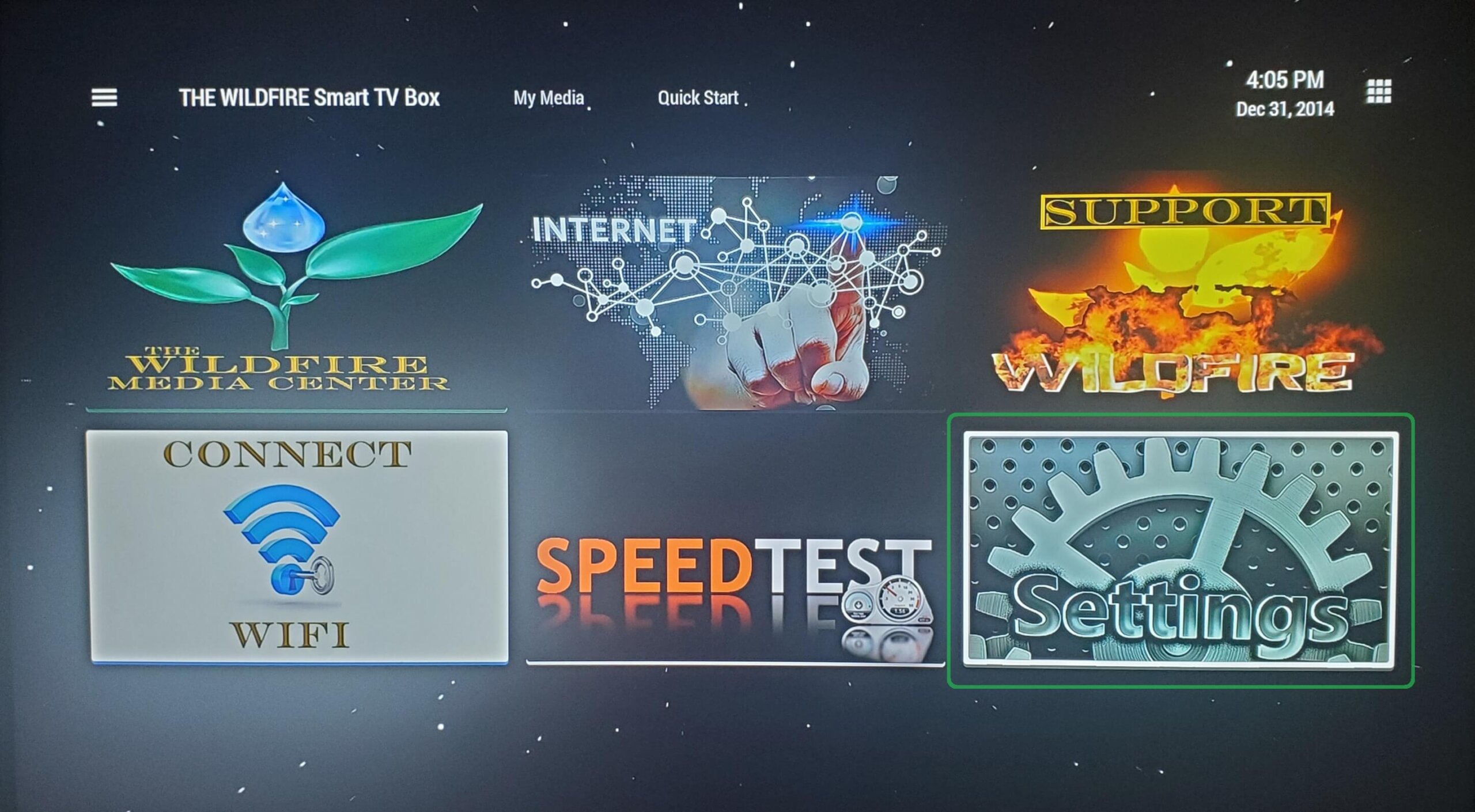
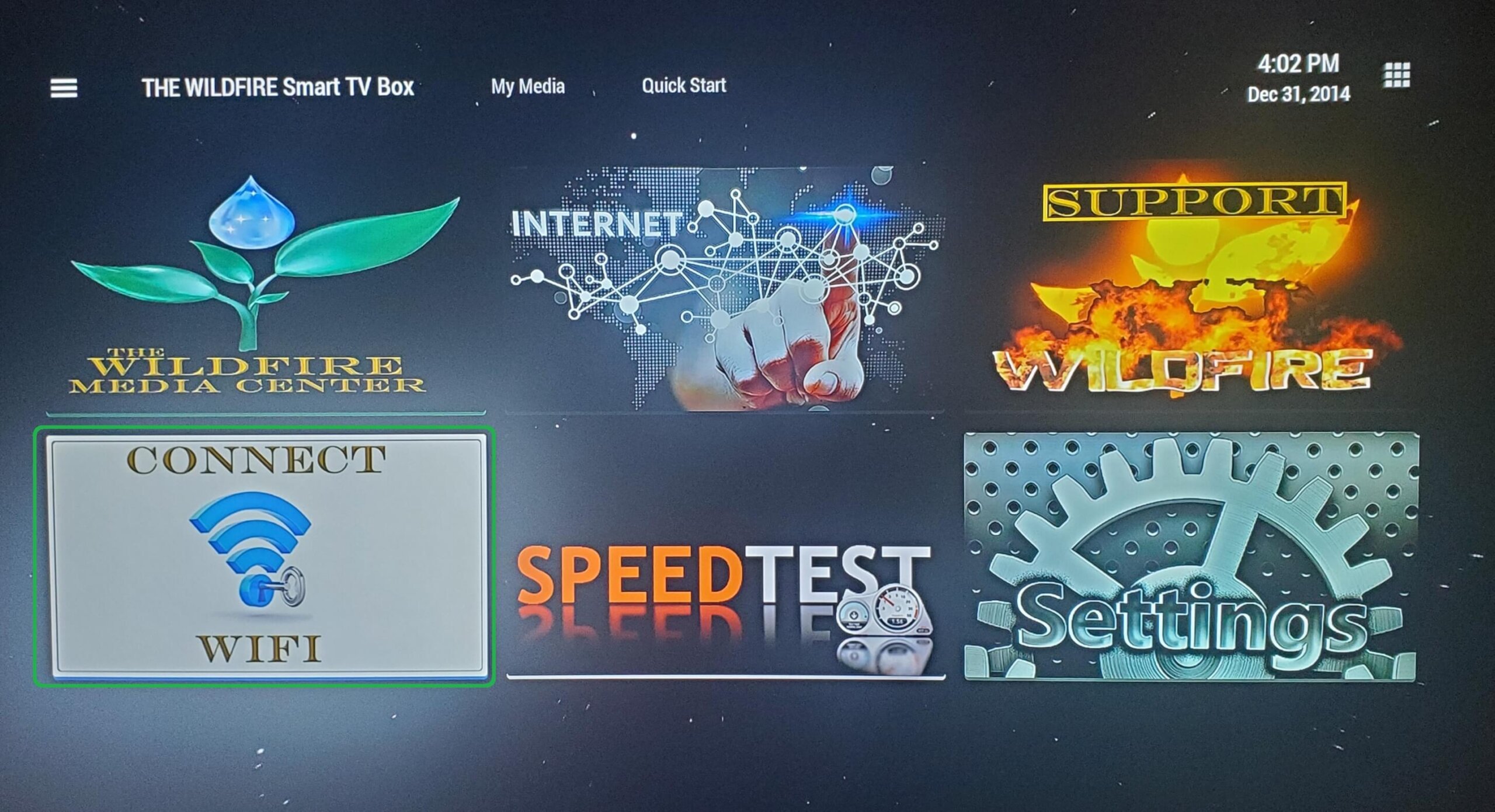
From the home screen, open Connect WIFI tile to begin WIFI set up.
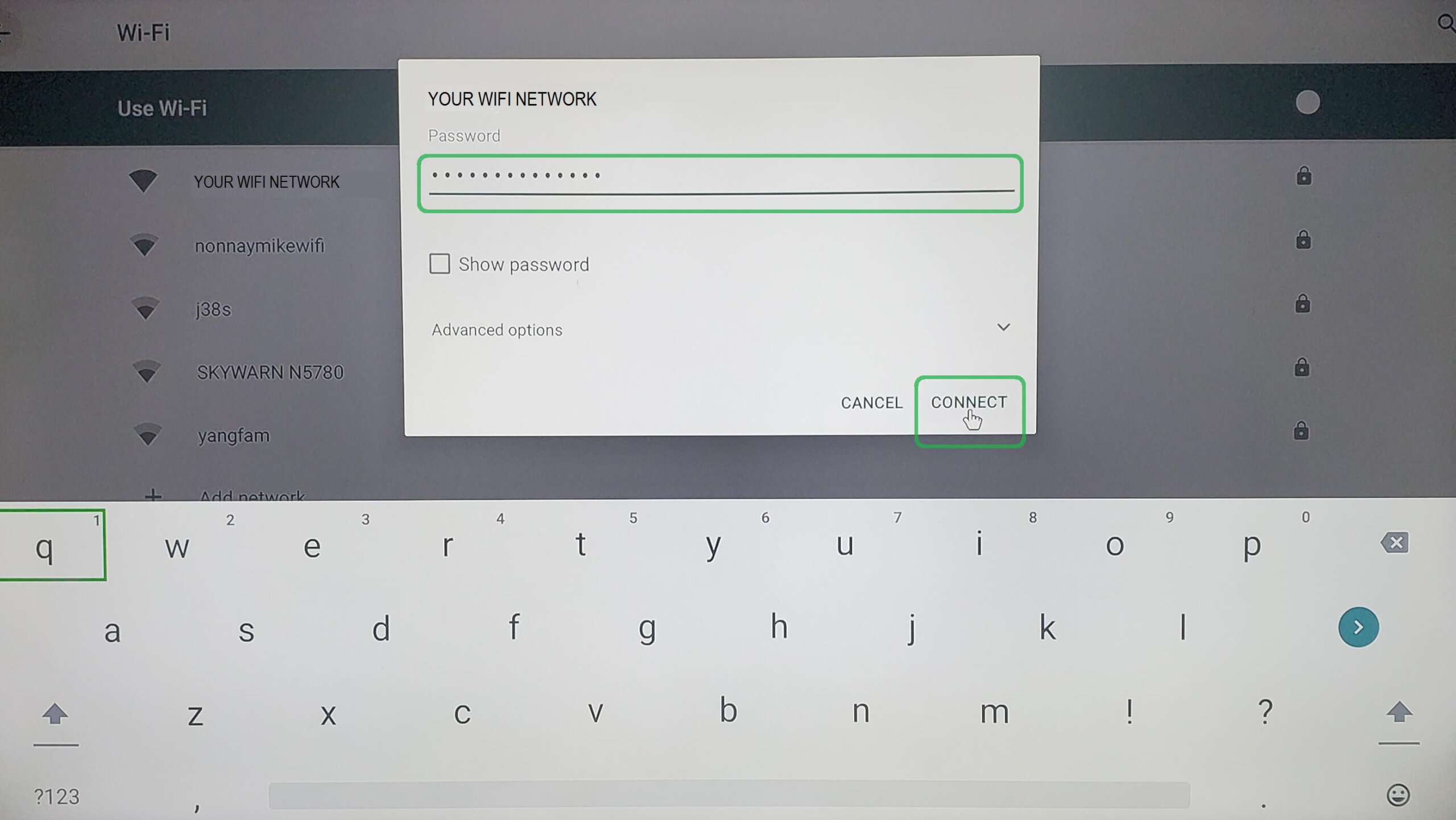
After entering your WIFI password click on “Connect” and once you see “CONNECTED” next to your network you are done.
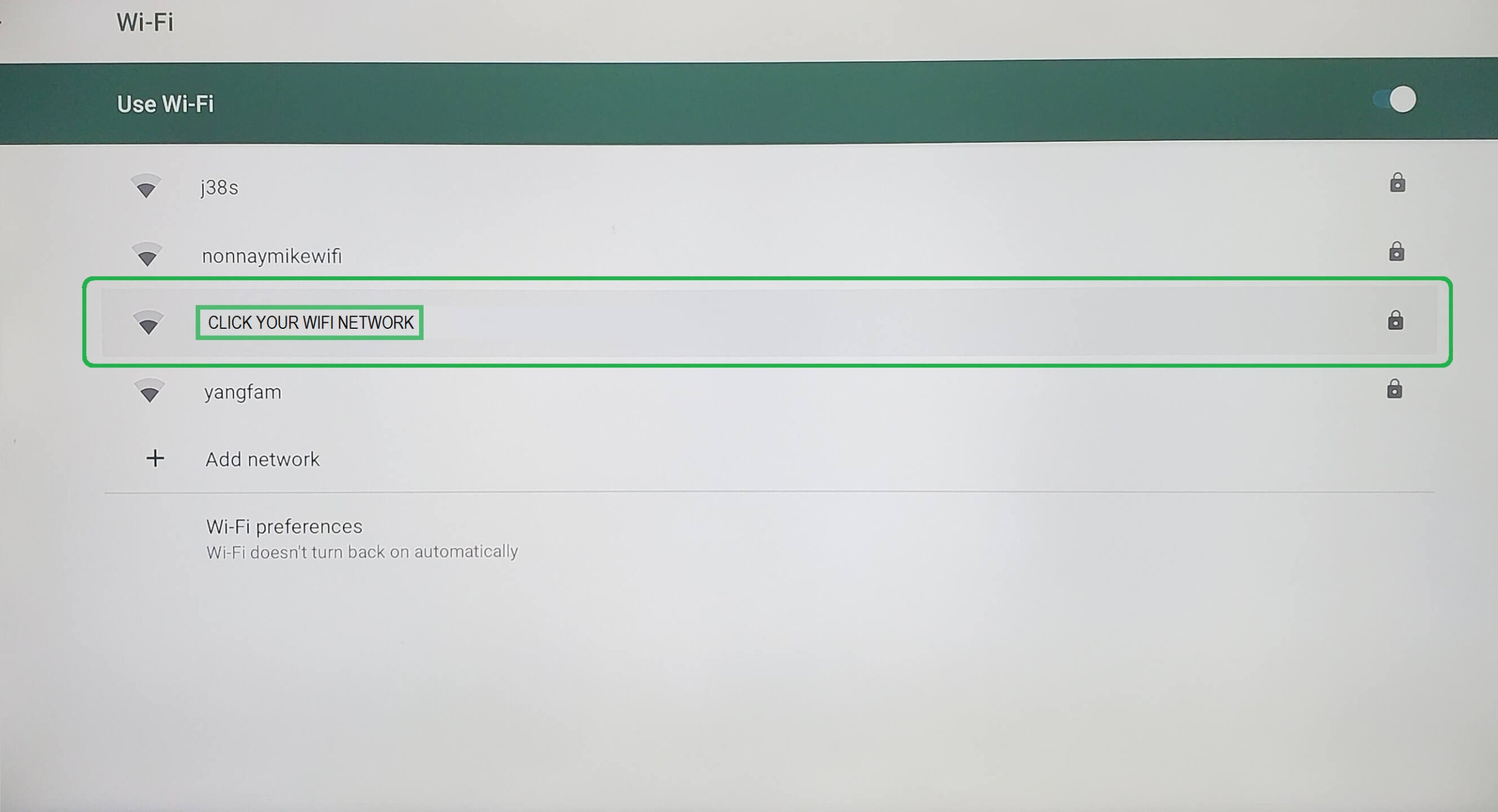
Select your WIFI Network from the list of available networks.